User Profile and Public Presence
Revornix provides a public user profile page for showing creator identity, follower relationships, and published sections. This page also acts as a discovery entry in the community and as an indexable public surface for search engines.
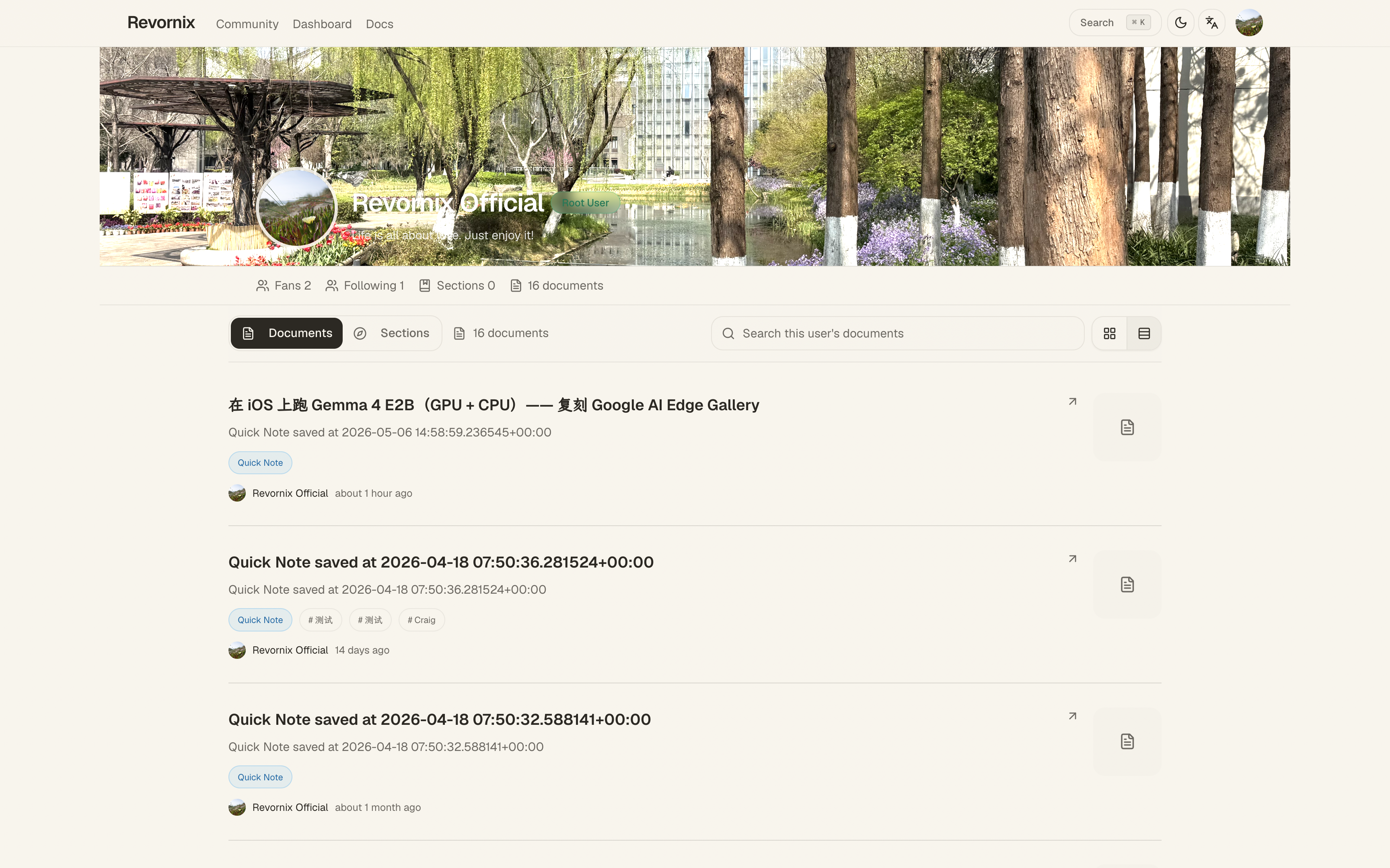
Page path
The public user profile is available at /user/[id].
This page is keyed by user ID rather than a section publish UUID. Visitors can reach it from:
- The creator avatar or nickname on the community page
- The author area on a public section page
- A direct external link to the public user page
Page content
The public user profile includes:
- Avatar, nickname, and role
- Personal slogan
- Follower and following counts
- Total number of published sections
- A public profile summary area
- A list of published sections
If the creator has published sections, the lower part of the page continues with public section cards and pagination.
Published section list
The public profile page supports:
- Keyword search within that creator’s published sections
- Pagination for additional results
- Direct navigation into a public section page
- Direct subscription to a section
Each section card includes the cover, title, description, labels, document count, subscriber count, and podcast-related information when available.
Follow relationship
The public user page includes a follow button. Signed-in visitors can follow or unfollow a creator directly from the public page without switching into the private workspace first.
This creates a continuous community path:
- Discover a section on the community page
- Read the content on the public section page
- Open the creator’s public user profile
- Explore more published sections and follow the creator
SEO and indexing
The public user page emits public-facing metadata and structured data describing:
- The creator profile
- The breadcrumb path of the page
- The creator’s relationship to the broader community surface
The avatar, nickname, slogan, and published section count together form the main public summary of the page.
The public user page only exposes public-facing profile information and published sections. It does not expose private documents, private sections, or collaboration-only content.