Podcast Generation
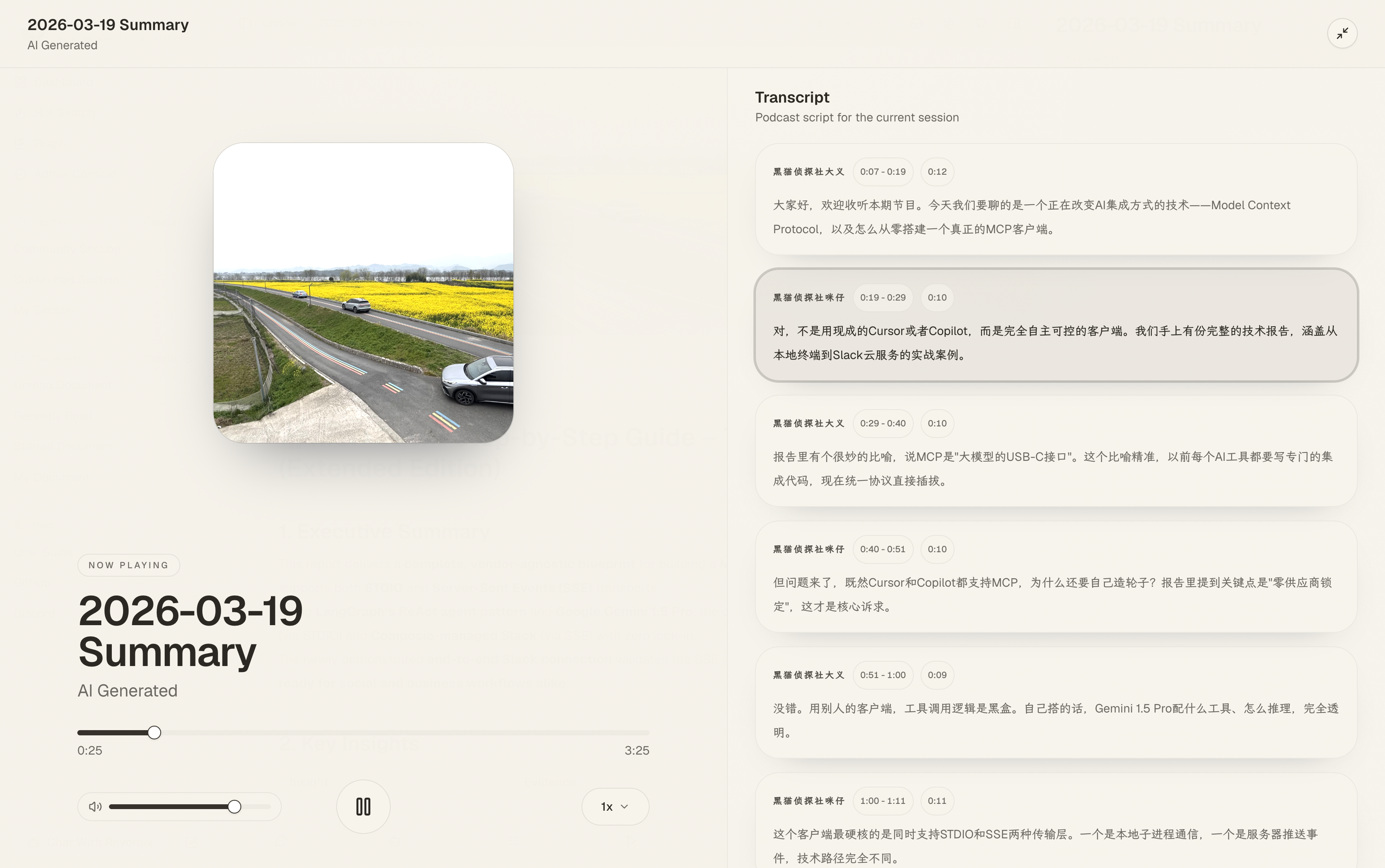
Podcast generation is one of Revornix’s first-class output formats for both documents and sections.
Configure the engine
Before using this feature, configure the default podcast engine in Settings. The representative engines in the codebase include:
Volc Podcast EngineOpenAI Audio Engine
Using Volcengine as an example, you can register on the Volcengine console and obtain your AppID and Access Token.
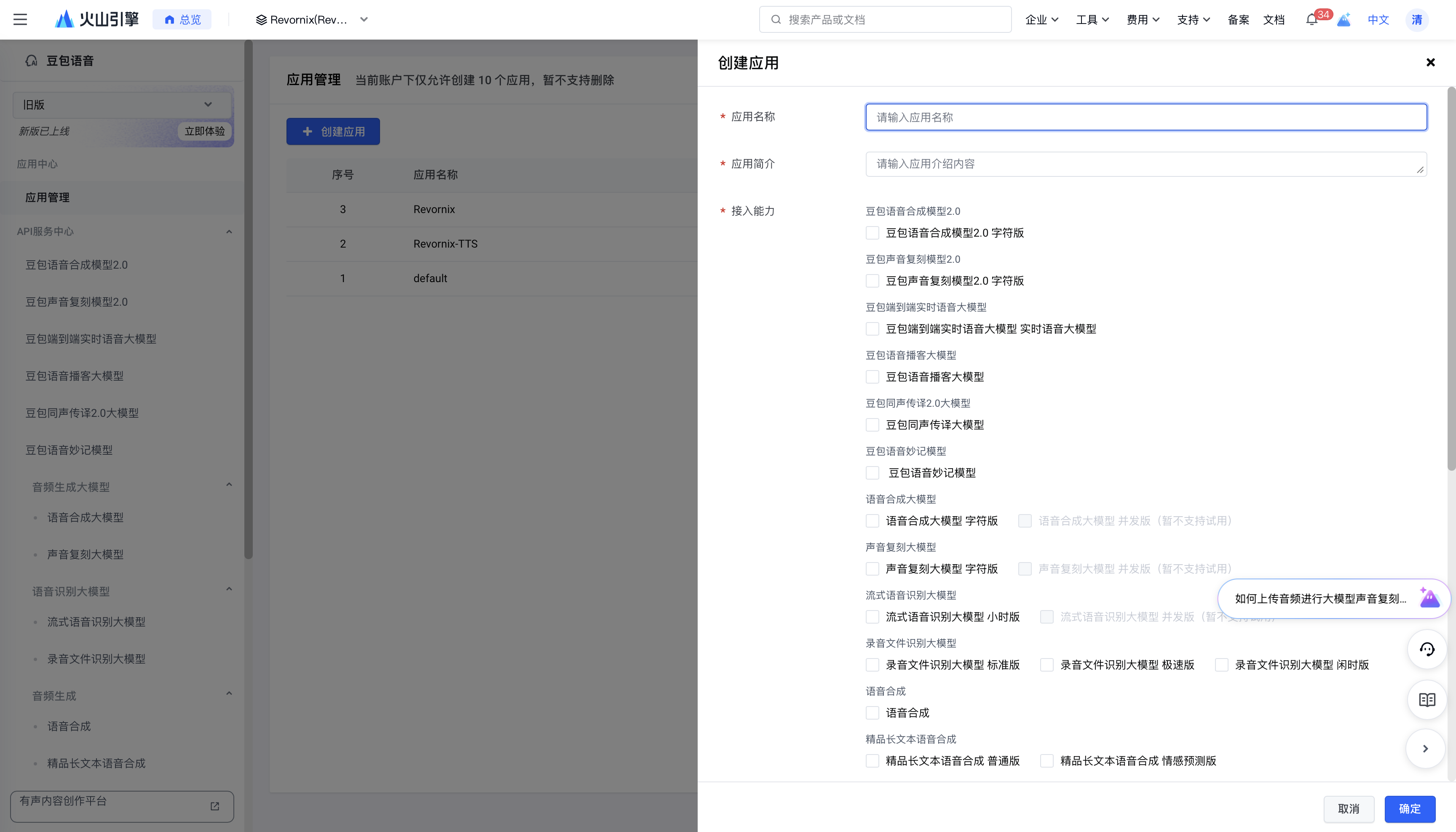
- Go to the Volcengine console and click Create App.
- Fill in the configuration. Make sure to select the Doubao voice podcast model in the capability options, then click Confirm.
- Click the Doubao voice podcast model on the left, select your newly created app on the right, and enable the service.
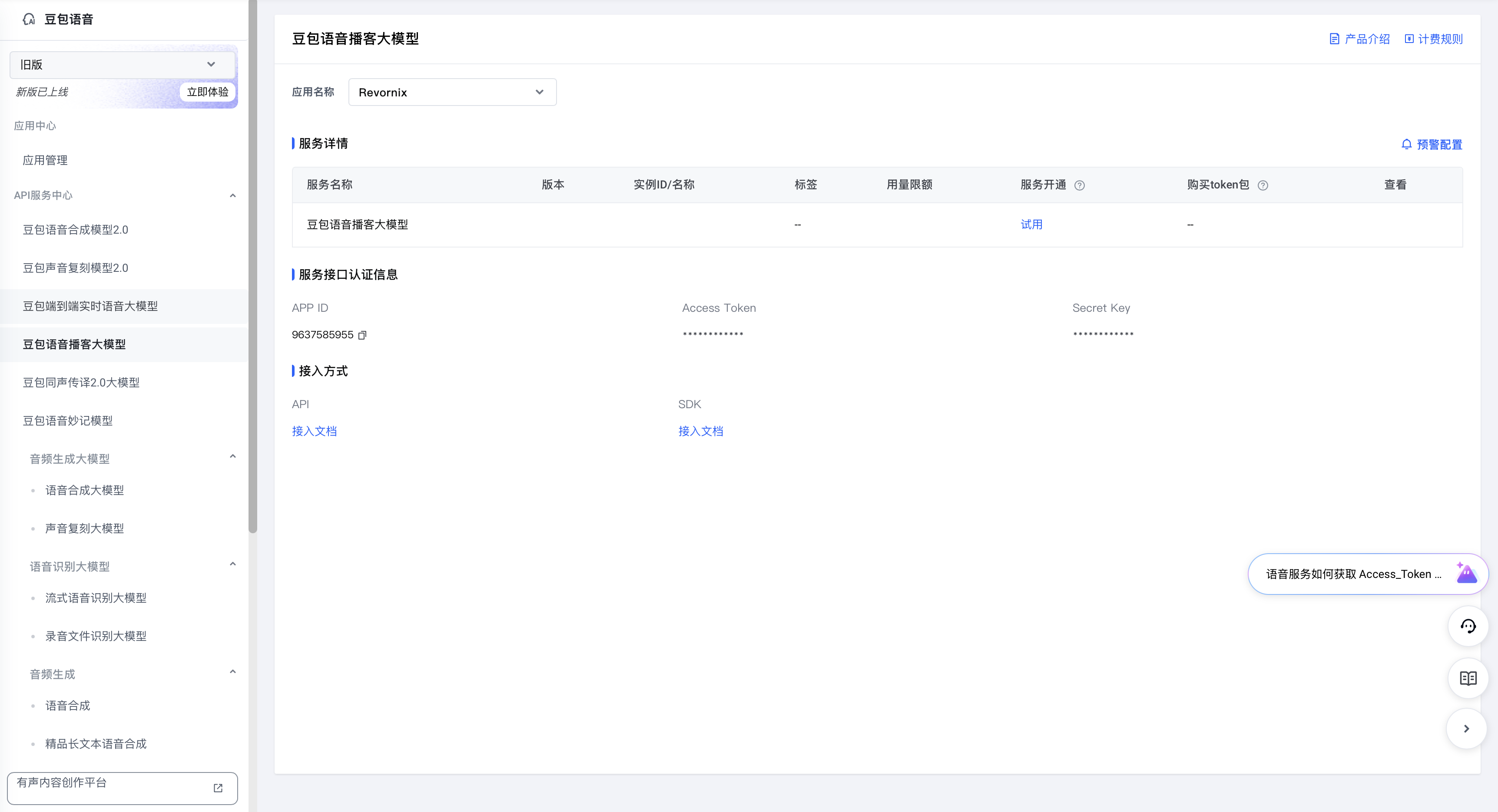
- After the service is enabled, you can see your AppID and Access Token and token usage. Volcengine currently gives 1,000,000 free tokens, which does not go very far in practice, so use them sparingly.
- In Revornix, open Settings, go to the engine configuration page, select the ByteDance podcast engine, fill in the AppID and Access Token, and click Save.
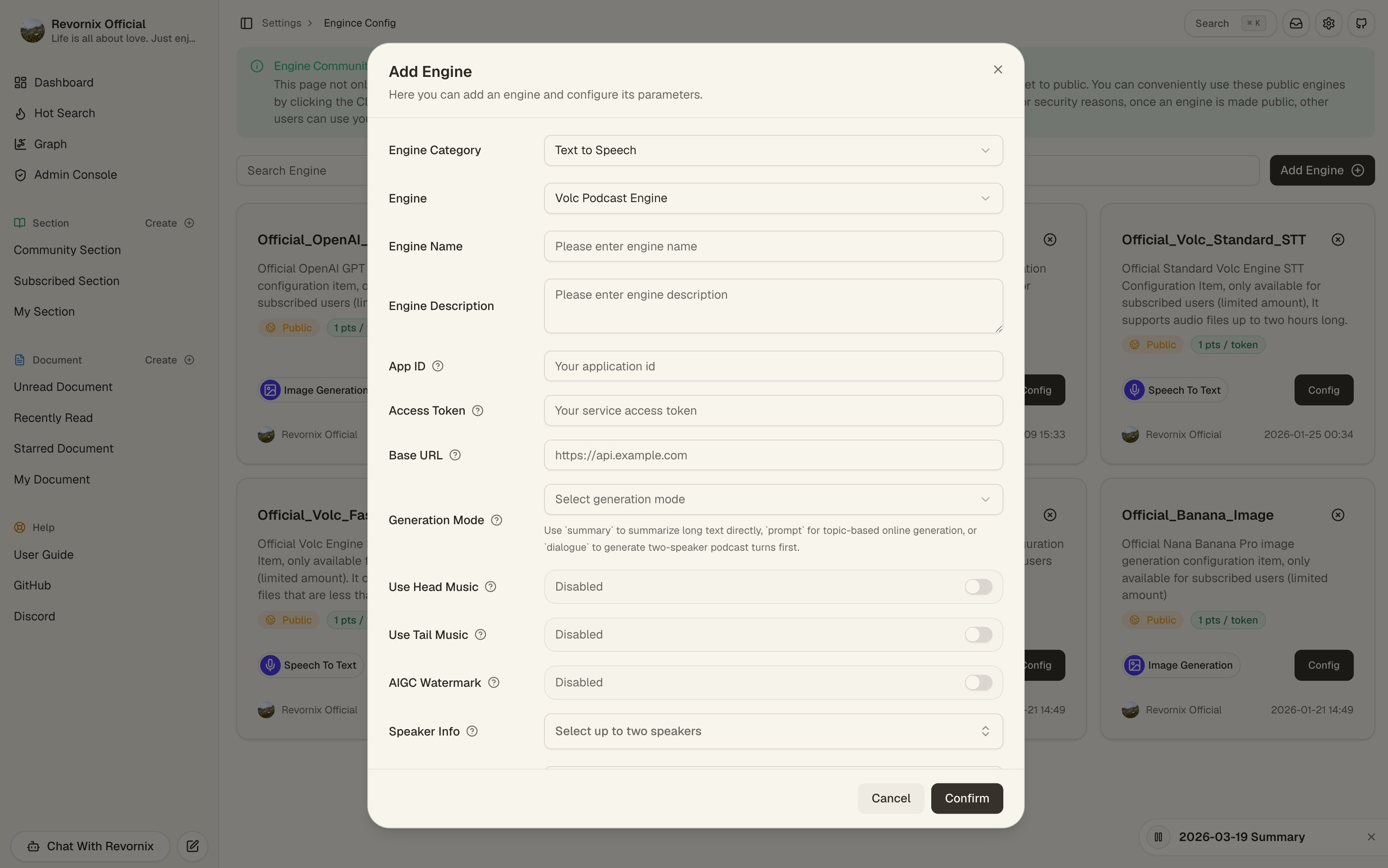
- In Revornix Settings, find the podcast engine option and select the engine you just added.

- Save it, then choose it in the default podcast engine setting.
Document podcast
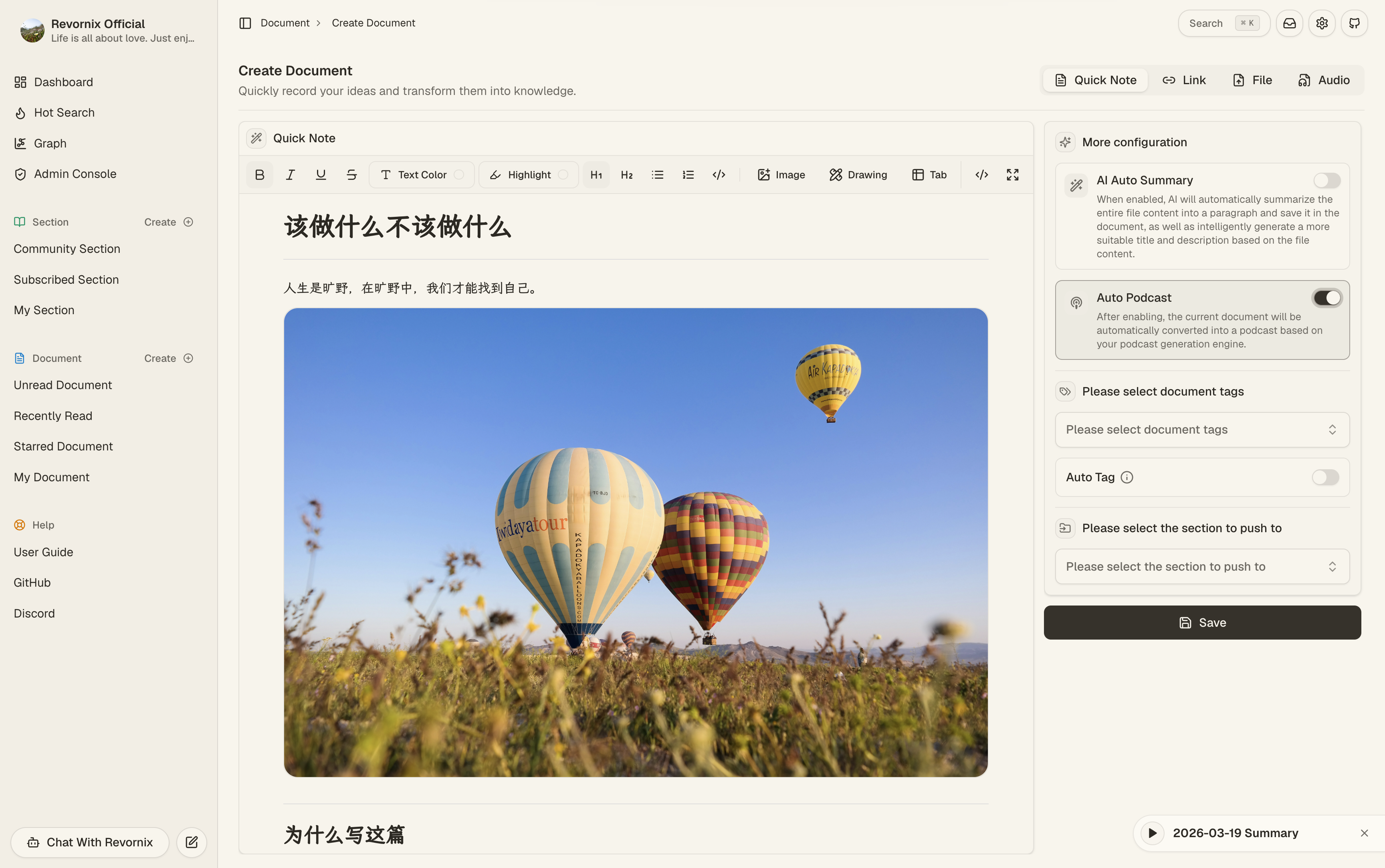
When creating a document, you can choose whether to auto-generate a podcast. If enabled, the document enters the podcast generation workflow after creation. If not, you can generate it manually from the document detail page.
After success, the document detail page uses the built-in audio player directly.
Section podcast
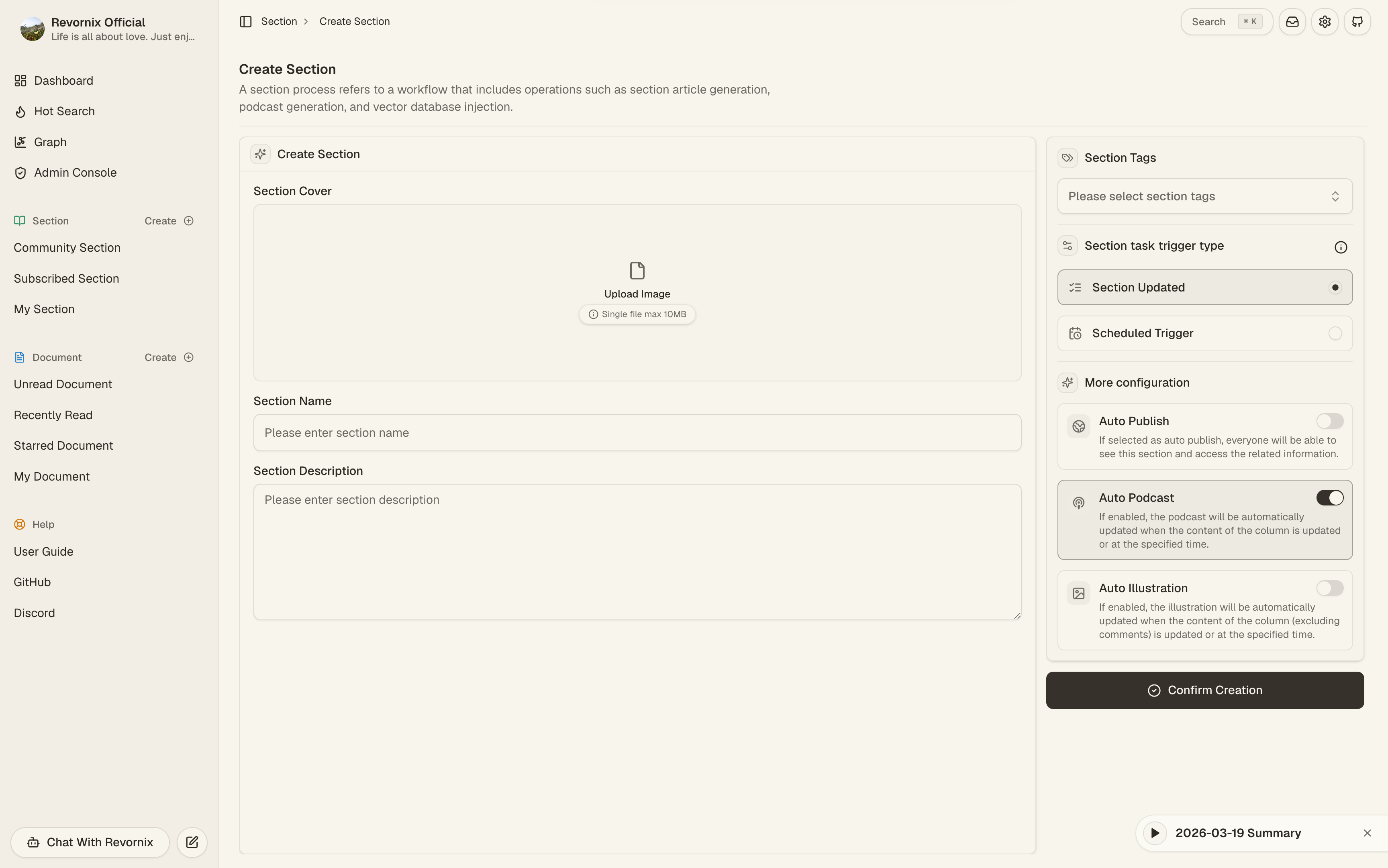
When creating or configuring a section, you can choose whether to auto-update the section podcast. If enabled, section processing can continue into the podcast workflow whenever the section content changes. If not, you can generate or regenerate the section podcast manually from the section detail page.
If the section content has changed after a podcast was generated, the UI can mark the podcast result as stale.