Section Sharing and Co-creation
The section sharing mechanism is one of the core features of the section platform. It allows users to share their section content with other users or make it fully public. This increases engagement and interaction, and helps users promote their knowledge content.
Sharing methods
Section sharing typically includes the following methods:
- Invite specific users and grant permissions.
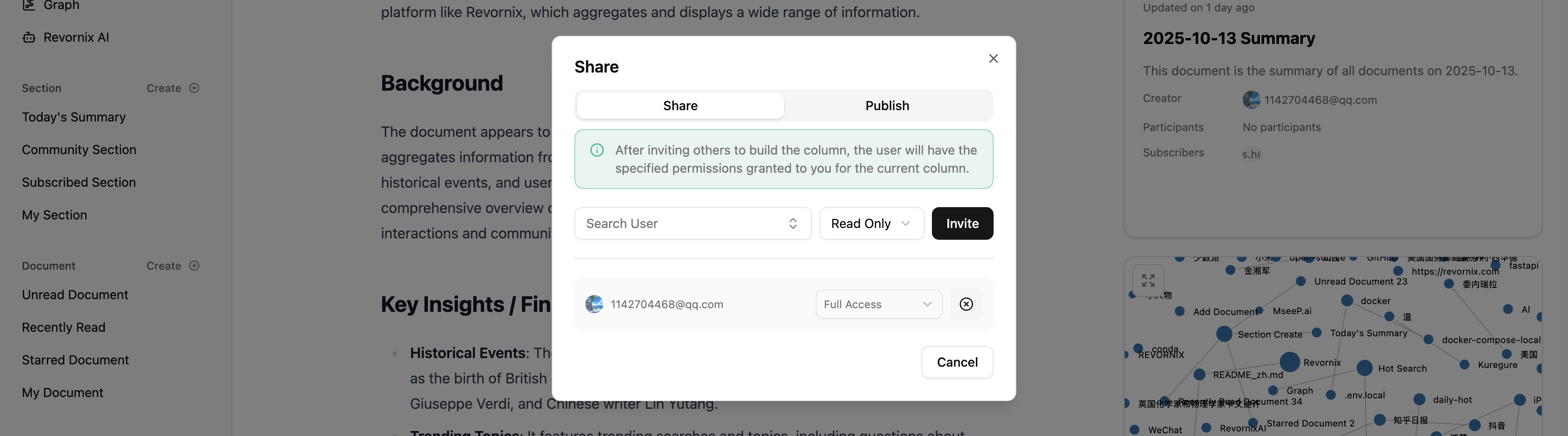
You can click the share button at the bottom of a section, search for users on the same platform, select shared documents, and grant permissions. There are three default permission levels:
- Full access: users can view, edit, and modify the section, and can re-share the section (invite others to co-create).
- Read-write: users can view, edit, and modify the section.
- Read-only: users can view the section but cannot edit or modify it.
- Publish to the public network: users can publish their section content publicly. This helps promote content and provides more learning resources. Once published, other users can find the section in the community list via search. High-quality sections may also be indexed by search engines based on user traffic, increasing exposure.
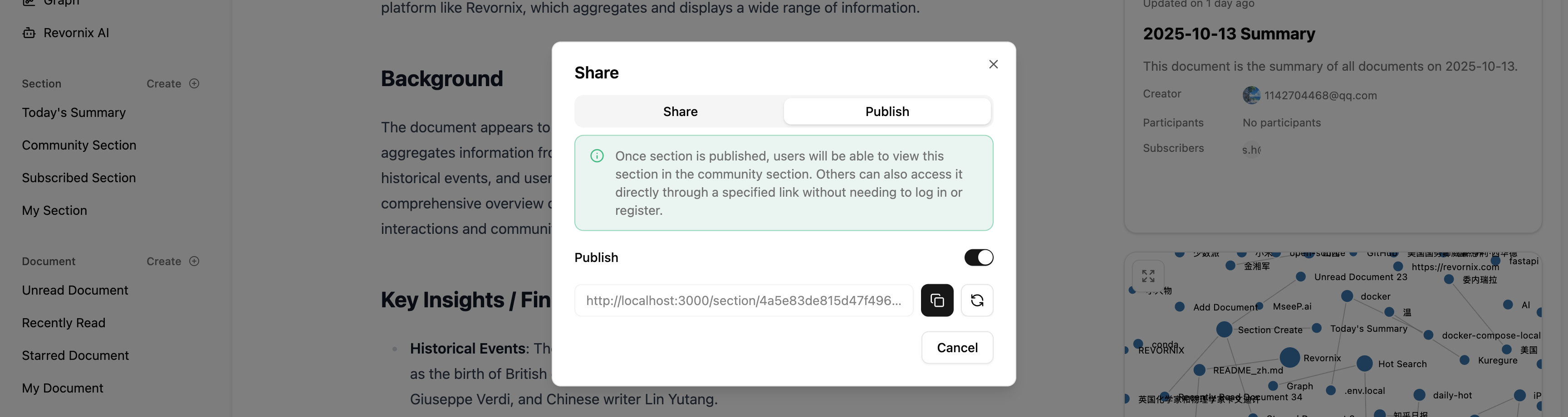
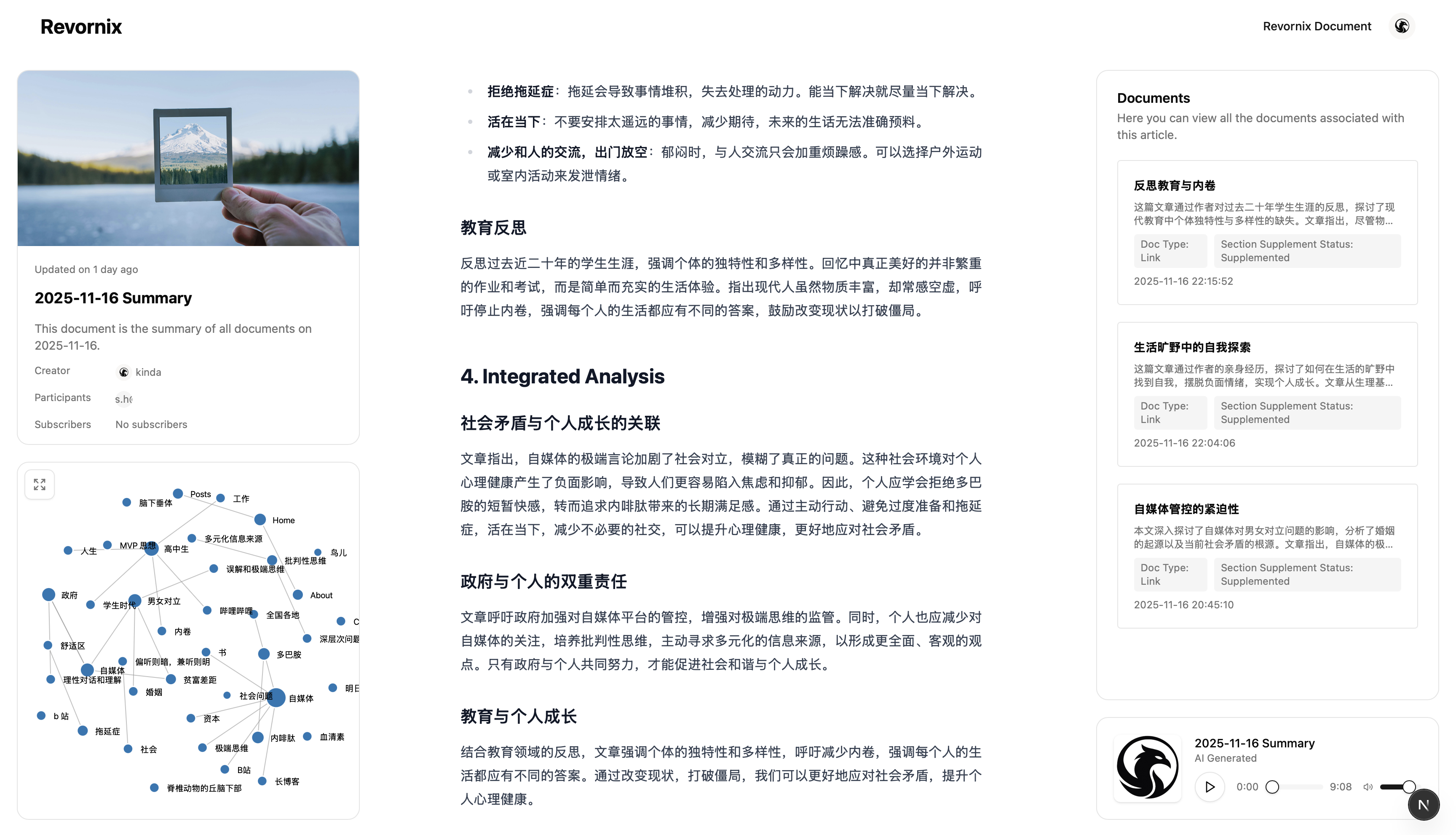
Revornix provides a refresh mechanism so users can regenerate the public URL unlimited times. Click the refresh button in the publish dialog and a new URL is created each time. The public view looks like this:
Subscription
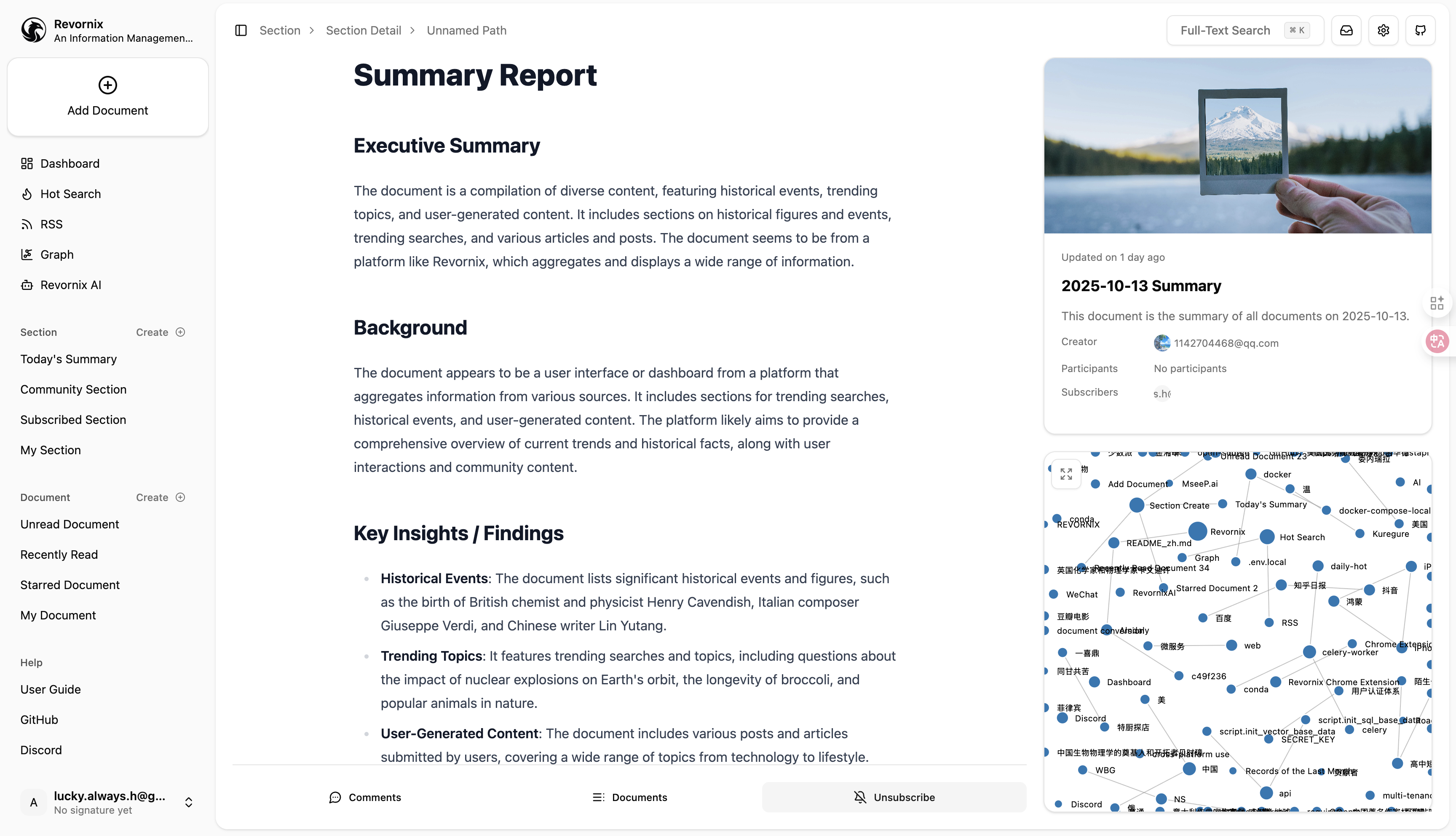
After a section is published, other users can view it and subscribe. Subscribing is simple: click the Subscribe button in the section action bar.
After subscribing, the section appears in the Subscribed Sections list in the left menu, making it easy to track updates.
Later, subscriptions will be designed to notify subscribers when a section updates.
In the cloud version, there will be paid sections. Users can set a section to paid access for monetization, and the Revornix cloud platform will charge a 10% service fee.