MCP
MCP is an open protocol that standardizes how applications provide context to LLMs. You can think of MCP as the USB-C port for AI applications. Just as USB-C provides a standardized way to connect devices with peripherals and accessories, MCP provides a standardized way to connect AI models to different data sources and tools. — from anthropic
For better tool calling, use a base model that follows instructions well.
In v0.1.0 and later, an MCP client is integrated internally. You can easily configure MCP servers via MCP Management in Settings.
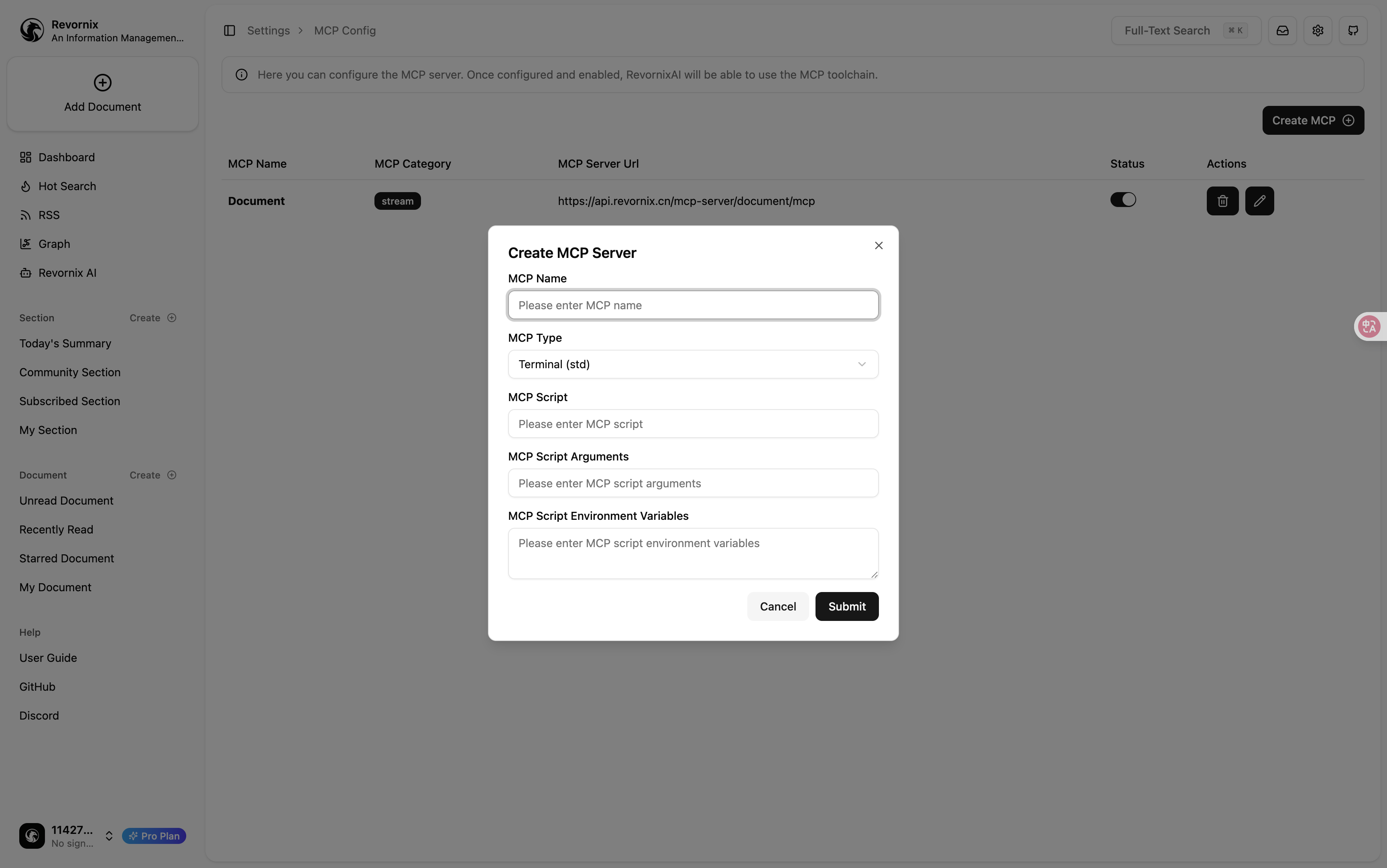
Currently only Stream MCP and Std MCP are supported.
After MCP servers are configured, Revornix AI can chat with you based on your entire tool library.
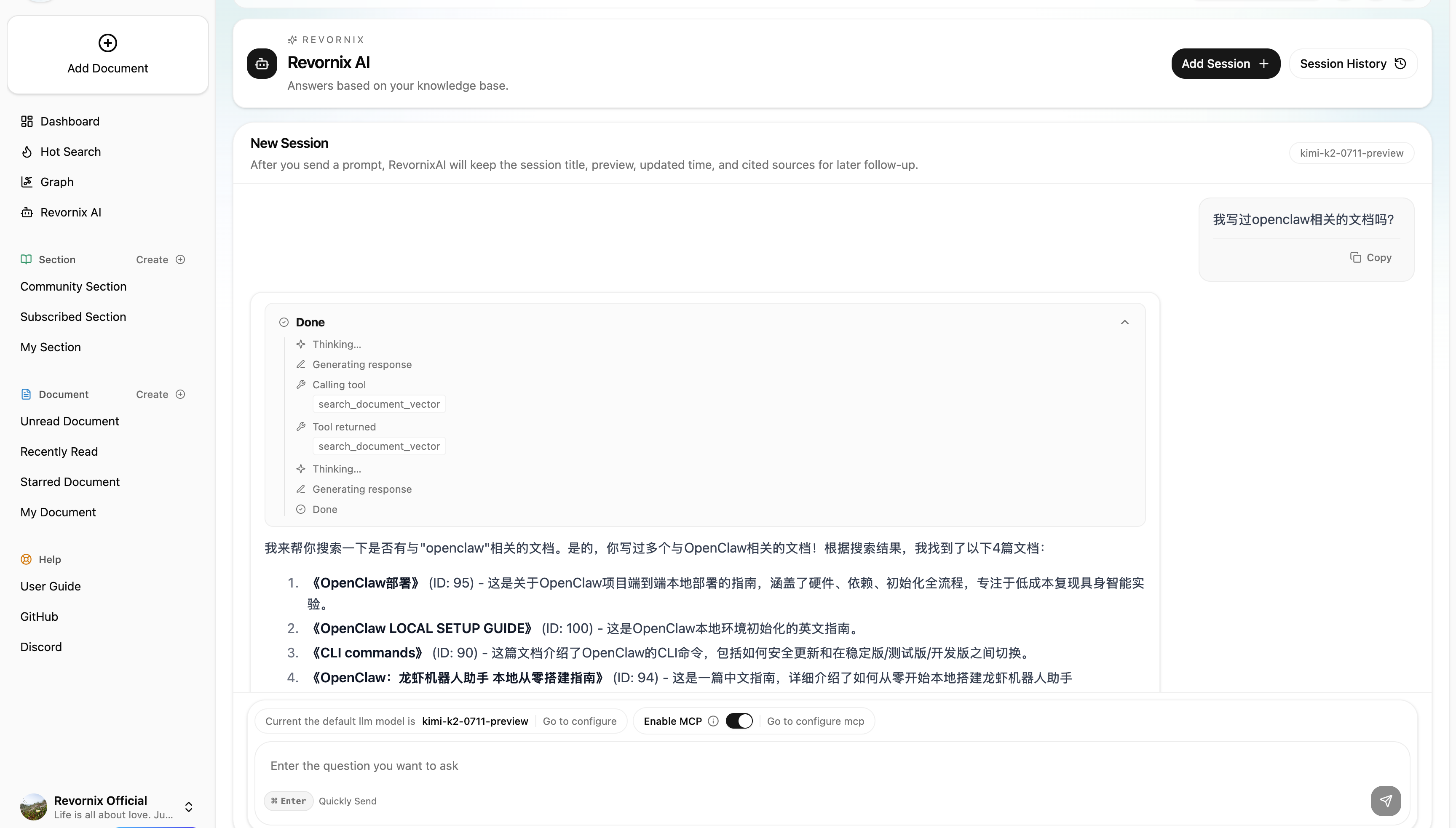
Revornix MCP in Both Directions
Revornix currently supports MCP client + server capabilities in both directions.
- Client side: supports connecting to both Stream MCP and Std MCP servers, configured through MCP Management in Settings.
- Server side: the capability is built into the API, with routes organized under
api/mcp_router/*; the current official service grouping maps tocommon,document, andgraph. common: used for general MCP capability extensions.document: mainly used for document and knowledge-base interaction, allowing Revornix AI or external MCP clients to call against local documents.graph: mainly targets graph-related capability extension to support MCP access around knowledge-graph scenarios.
Official Hosted Server Endpoints
If you want to use the official Revornix-hosted MCP servers directly, the current endpoints are:
https://api.revornix.cn/mcp-server/common/mcphttps://api.revornix.cn/mcp-server/document/mcphttps://api.revornix.cn/mcp-server/graph/mcp
Note: the URLs above are for the official hosted environment. If you are describing self-hosted code structure or extension points, it is still better to refer to api/mcp_router/* plus the common, document, and graph groupings.
Developer note
If you plan to develop your own mcp server, put the code under the api/mcp_router project group and start from the common, document, and graph groupings when extending server-side capability.