Section Creation
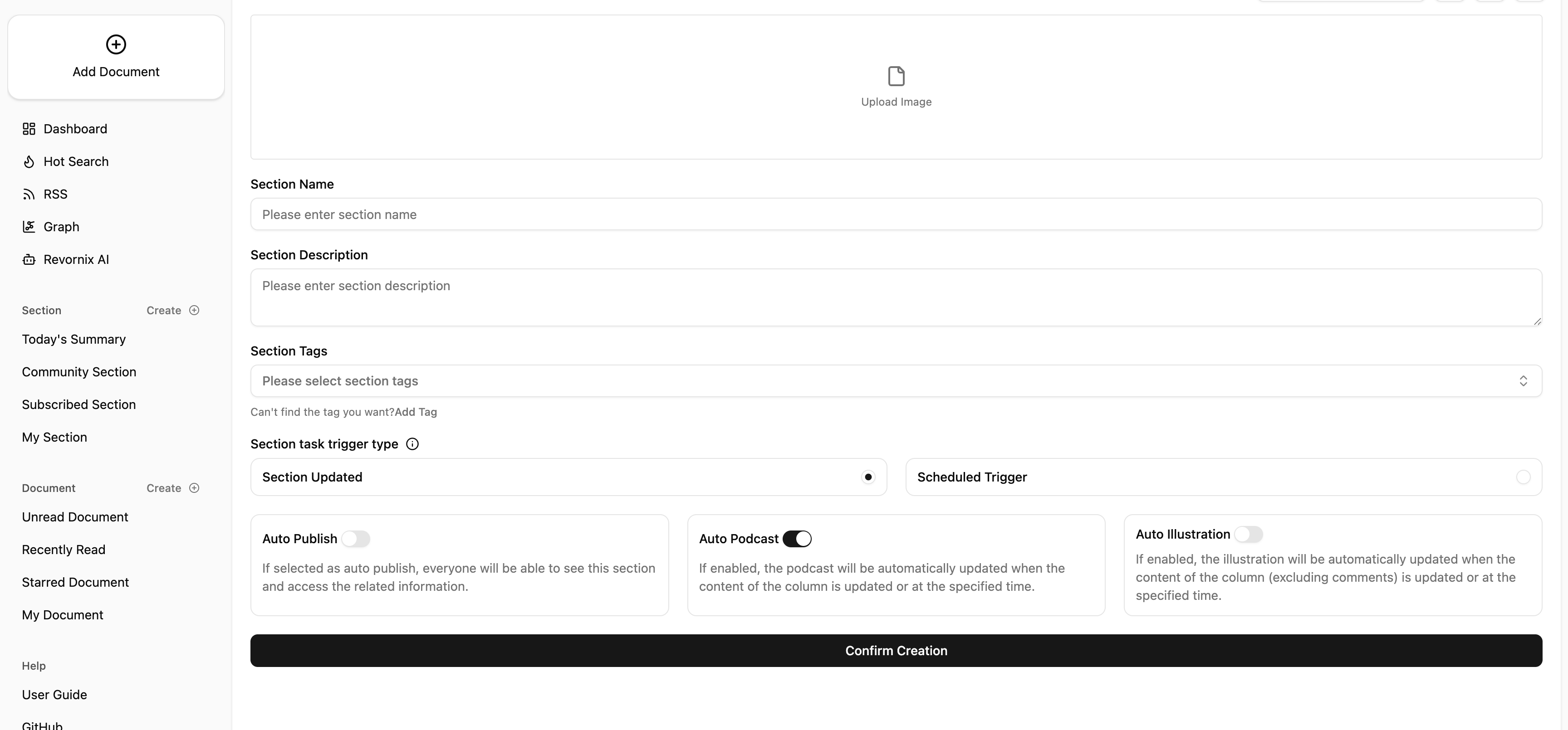
Creating a normal section is very simple. Just click Create next to Sections in the left menu.
For special sections like the Daily Section, users do not need to create them manually. When you add articles, the system automatically creates the Daily Section and, as more articles are added, it generates a new section based on the previous summary and new documents.
I also provide an API to create sections. See the section creation endpoint in the API docs. The npm and pip Revornix packages also support this. See the GitHub docs: Revornix-Npm-Lib , Revornix-Python-Lib .
Section process
There are two trigger types for section processes: scheduled triggers and event triggers.
- Scheduled trigger: you can set a time, and at that time the section will summarize all documents in the section and update the section info.
- Event trigger: when a section is updated (e.g., a document is pushed to the section), the system summarizes all documents in the section and updates the section info.
Auto illustration
When enabled, the system automatically generates illustrations based on the section’s document content and inserts them into the section documents. (You must configure an image generation model in Settings.)
Auto publish
When enabled, as soon as a section is created it is published to the public space. The section can be searched inside the system and by search engines, and other users can access it without logging in.